Docker DesktopからApple Containerへの移行ツール・Xanshipをリリースしました
 rio
rio
追記(2026.07.06):Xanshipで移行作業してたら、Linuxで動かしてるのと同じ(CPUは違う)コンテナをApple Containerで動かしたいパターンがあったので、Linux Docker → Apple Containerの移行機能を追加した。
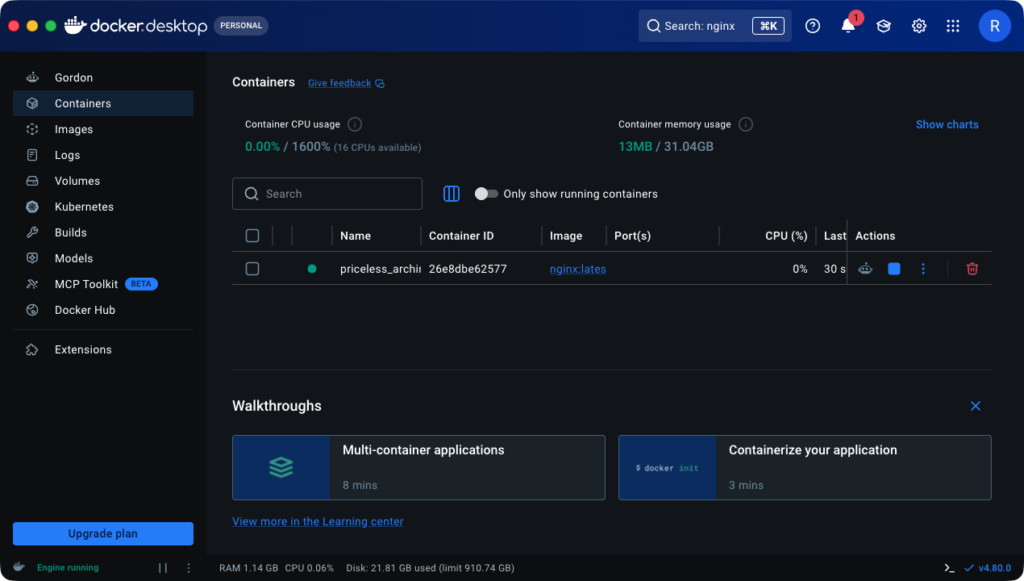
→
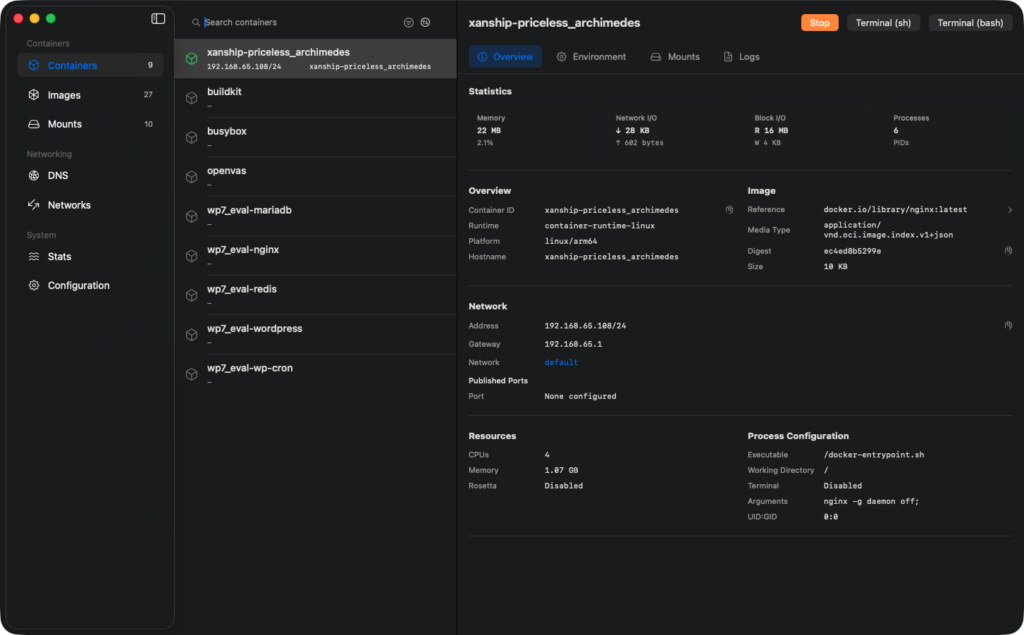
Xanship
Xanship (transship) は、Docker Desktop で稼働しているコンテナを Apple Container に移行するためのCLIです。
ライブマイグレーションではなく、段階的な移行を行います。
docker inspect、docker volume ls、docker network lsなどで Docker Desktop コンテナをアセスメントする。- Apple Container 向けの移行計画を生成する。
- 必要に応じてイメージを Apple Container にロードする。
- Apple Container でドライラン作成を行う。
- Docker の named volume データを Apple Container の volume にコピーする。
- Docker Desktop 側のコンテナを停止する。
- Apple Container 側で同等のコンテナを起動する。
インストール
GitHub Releases から最新版をインストールできます。
curl -fsSL https://raw.githubusercontent.com/rioriost/xanship/main/scripts/install.sh | sh使用例
xanship assess --container my-container
xanship commands --dry-run
xanship dry-run --apply
xanship load-images
xanship copy-volumes
xanship stop-docker
xanship start-apple
全フェーズを連続実行する:
xanship migrate --compose-project myprojectテスト済みコンテナ・Docker Compose例
Single containers
| Image | Notes |
|---|---|
nginx:alpine | HTTP service with published port |
redis:7-alpine | Redis service with published port |
postgres:16-alpine | Database with named volume |
mysql:8.4 | Database with named volume |
mongo:7 | Database with named volume |
httpd:alpine | HTTP service with published port |
traefik:v3.0 | HTTP reverse proxy entrypoint |
memcached:alpine | Memcached service with published port |
rabbitmq:3-management-alpine | Broker plus management ports |
minio/minio:latest | Object storage with named volume |
alpine:3.20 | Base Linux image |
busybox:1.36 | Minimal utility image |
ubuntu:24.04 | Ubuntu base image |
debian:bookworm-slim | Debian base image |
fedora:latest | Fedora base image |
rockylinux:9 | Rocky Linux base image |
almalinux:9 | AlmaLinux base image |
amazonlinux:2023 | Amazon Linux base image |
bash:5 | Shell utility image |
node:22-alpine | Node.js runtime |
python:3.12-alpine | Python runtime |
golang:1.23-alpine | Go toolchain image |
eclipse-temurin:21-jre-alpine | Java runtime |
maven:3-eclipse-temurin-21-alpine | Maven build image |
gradle:8-jdk21-alpine | Gradle build image |
rust:1-alpine | Rust toolchain image |
ruby:3.3-alpine | Ruby runtime |
perl:5-slim | Perl runtime |
php:8.3-cli-alpine | PHP CLI runtime |
composer:latest | PHP Composer image |
caddy:2-alpine | Caddy HTTP server |
eclipse-mosquitto:2 | MQTT broker |
nats:2-alpine | NATS broker |
registry:2 | Docker registry with named volume |
adminer:latest | Database admin web UI |
php:8.3-apache | PHP Apache web server |
tomcat:10-jre17-temurin | Tomcat app server |
jetty:12-jre17 | Jetty app server |
wordpress:php8.2-apache | WordPress web container |
mariadb:11 | MariaDB with named volume |
couchdb:3 | CouchDB with named volume |
zookeeper:3.9 | ZooKeeper coordination service |
solr:9-slim | Solr search service |
hashicorp/http-echo:1.0 | HTTP echo service |
hashicorp/consul:1.19 | Consul dev agent |
gitea/gitea:latest | Gitea with named volume |
grafana/grafana-oss:latest | Grafana with named volume |
prom/prometheus:latest | Prometheus with named volume |
prom/alertmanager:latest | Alertmanager service |
prom/node-exporter:latest | Node exporter service |
Docker Compose combinations
| Combination | Images |
|---|---|
| WordPress + MariaDB | wordpress:php8.2-apache, mariadb:11 |
| Web + Redis | nginx:alpine, redis:7-alpine |
| Nginx + httpd | nginx:alpine, httpd:alpine |
| Adminer + Postgres | adminer:latest, postgres:16-alpine |
| Prometheus + Grafana | prom/prometheus:latest, grafana/grafana-oss:latest |
| Caddy + Redis | caddy:2-alpine, redis:7-alpine |
| Node.js + Postgres | node:22-alpine, postgres:16-alpine |
| Python + Redis | python:3.12-alpine, redis:7-alpine |
| PHP Apache + MySQL | php:8.3-apache, mysql:8.4 |
| Registry + Redis | registry:2, redis:7-alpine |
| Grafana + Prometheus + Alertmanager | grafana/grafana-oss:latest, prom/prometheus:latest, prom/alertmanager:latest |
| Gitea + Postgres | gitea/gitea:latest, postgres:16-alpine |
| CouchDB + Adminer | couchdb:3, adminer:latest |
| Solr + ZooKeeper | solr:9-slim, zookeeper:3.9 |
| NATS + Redis | nats:2-alpine, redis:7-alpine |
| Mosquitto + Node.js | eclipse-mosquitto:2, node:22-alpine |
| Tomcat + Redis | tomcat:10-jre17-temurin, redis:7-alpine |
| Jetty + Postgres | jetty:12-jre17, postgres:16-alpine |
| Consul + Grafana | hashicorp/consul:1.19, grafana/grafana-oss:latest |
| MinIO + Adminer | minio/minio:latest, adminer:latest |
最新のリストは、GitHubのtested.mdを参照してください。

Docker実践ガイド 第3版 (impress top gear)
インプレス
¥4,180